The Regularization option allows employees to edit and update their past attendance activity records, subject to the date limits configured as per the customer's attendance policy.
Employees can use the Regularization option to update the following attendance-related activities:
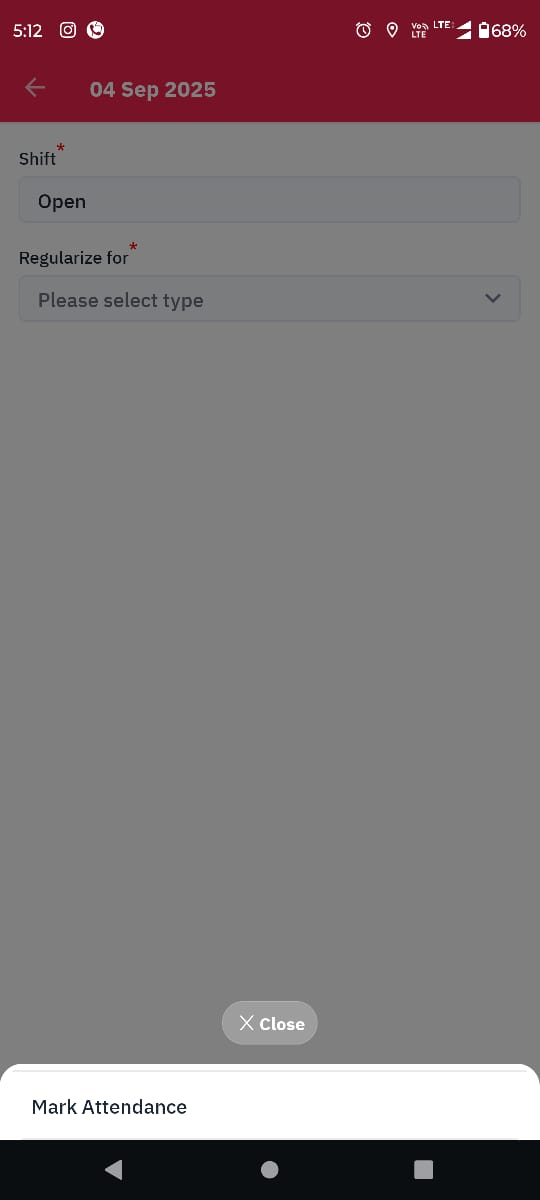
Attendance: Update Check-in and Check-out times.
Holidays: Regularize attendance for holidays, where applicable.
Week-off: Update week-off records, where applicable.
Market-off: Update market-off records, where applicable.
Comp-off: Update comp-off records, where applicable.
Note: The Leave option is not available in the Regularization dropdown list.
Follow the steps below in the Hamara HR mobile app:
Log in to the Hamara HR mobile app.
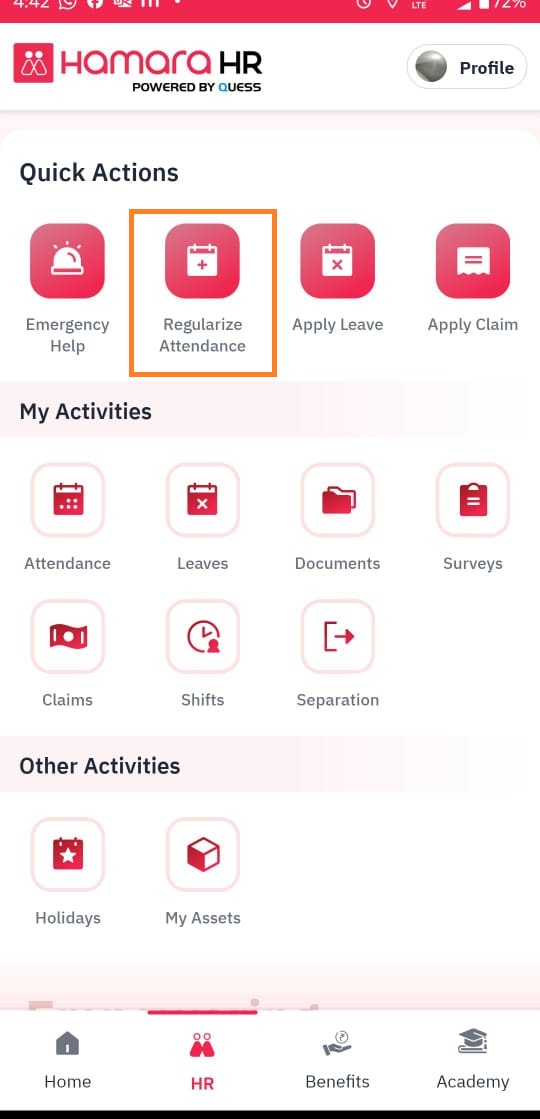
Navigate to the HR page.
Under Quick Actions, select Regularize Attendance.
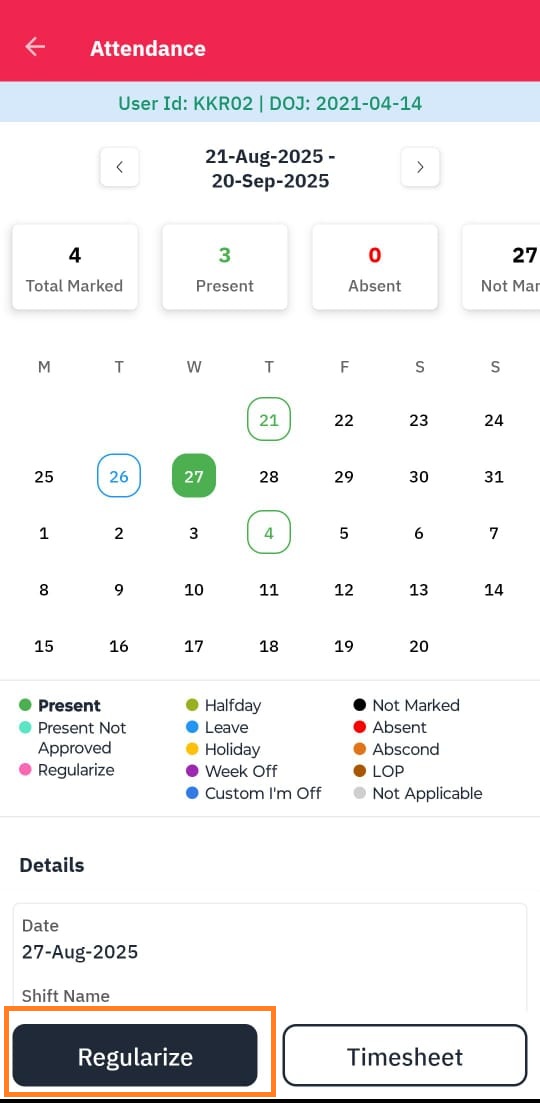
Select the required date, as shown in Screenshot 2.
Proceed with the regularization process based on the attendance activity that needs to be updated.
The dates available for regularization depend on the limits configured according to the customer's policy. Employees can regularize attendance only for dates permitted by the system configuration.
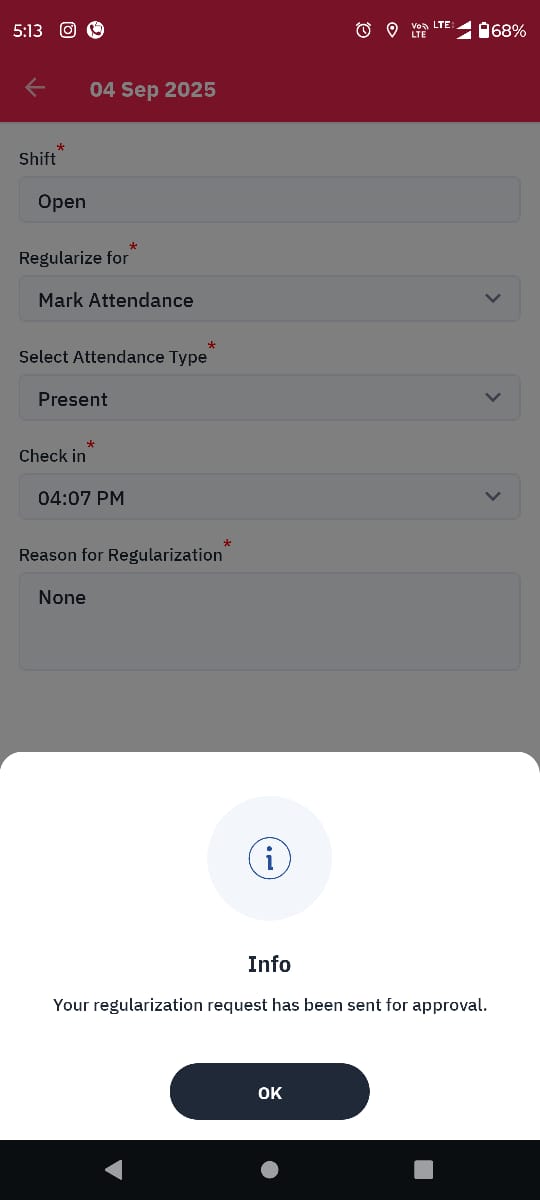
1. Regularized attendance will be sent for approval and the status of the regularization can be viewed on the Details page of the selected date.
2. Regularization option will be visible only when a specific date is chosen under the Attendance Calendar view option available on the Quick links and Profile section.
3. Any updates done on the Attendance calendar using the Regularization option will be reflected as such in the timesheet, there is no separate update that needs to be done on the Timesheet page if enabled. (timesheet feature available only for specific customers.)
4. If Updated attendance is not getting reflected on the attendance page, kindly inform your HR management or revert it to "support@hamarahr.com" with your user id, phone number, and company name for immediate response and resolution.
5. If regularization is not getting popped out on the Attendance page, reach out to your HR team for further assistance.
6. Multiple regularization option is available only for specific customers, and after regularization possibilities of reversing the status is not possible from the Admin side.
7. In case of any external update that needs to be done or needs to be reversed, reaches to your HR team for further assistance.
Was this article helpful?
That’s Great!
Thank you for your feedback
Sorry! We couldn't be helpful
Thank you for your feedback
Feedback sent
We appreciate your effort and will try to fix the article