Kindly follow the below steps to access and update KYC details in Hamara HR:
Please log in to your Hamara HR Mobile App.
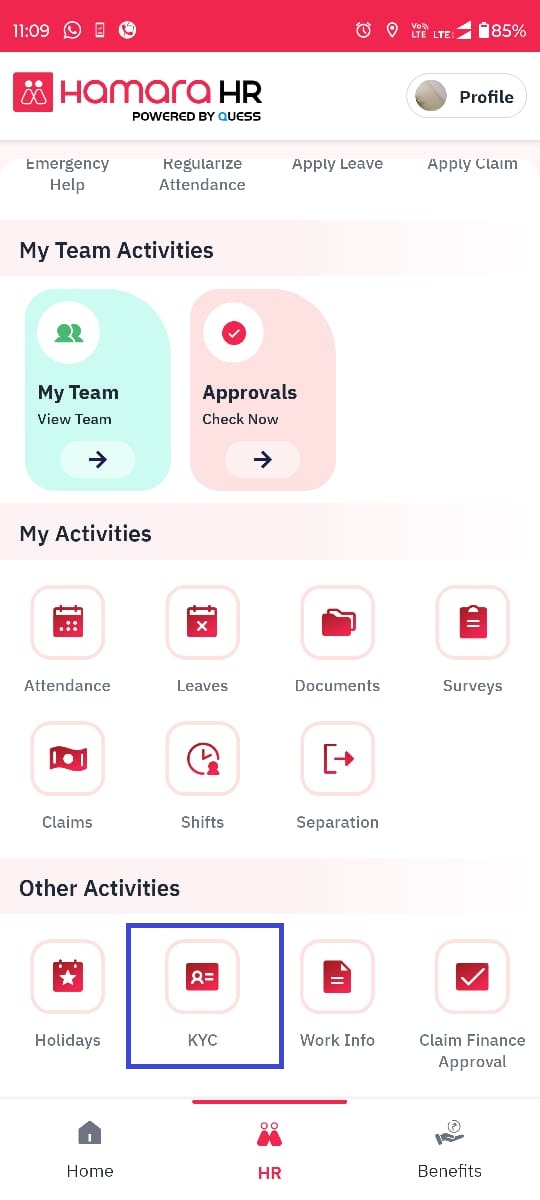
Navigate to the below path:
Mobile App → HR Tab → Other Activities → KYC
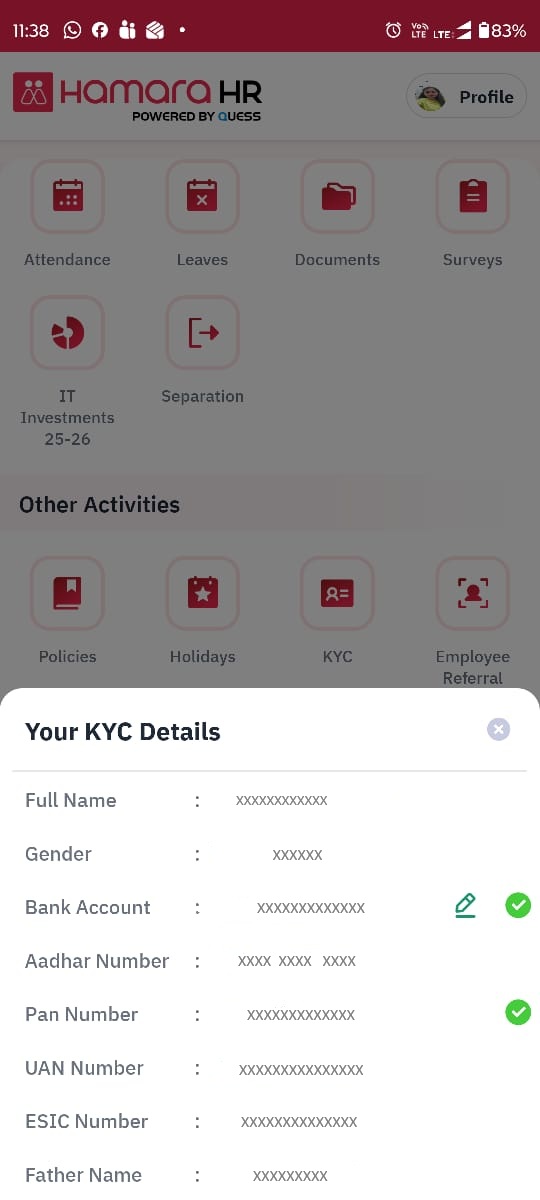
You will be able to view the KYC details page.
An Edit option is available next to Bank Account.
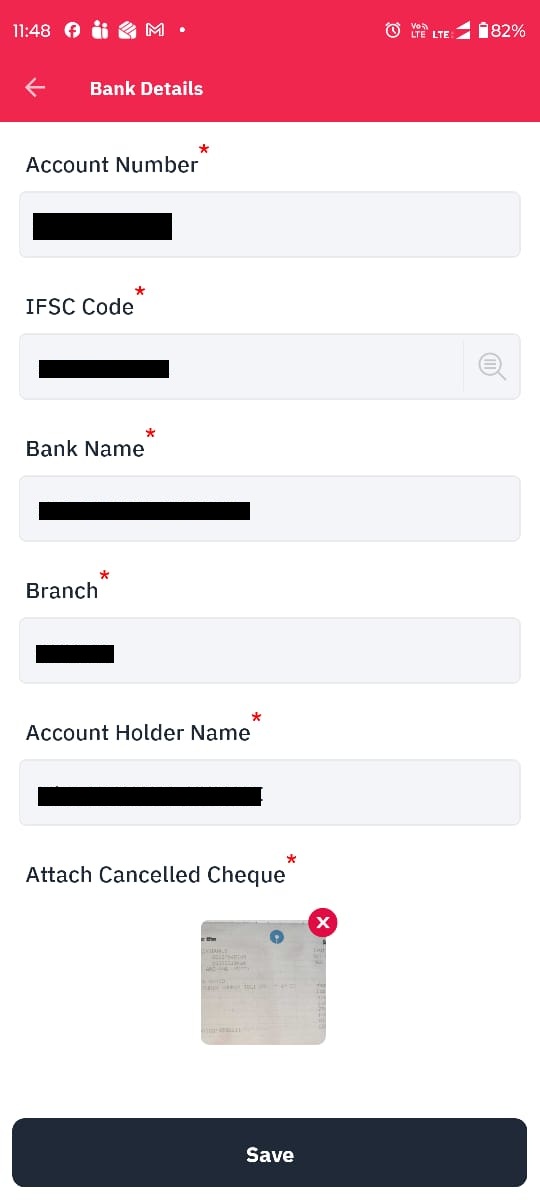
Click on the Edit option so that you can able to view the below page to update your new bank details.
After entering the details, click on the Save button.
Once the details are validated and approved by the Qpay Team/respective PE your new bank account will be reflected in this page.
Note: Until KYC approval only your old bank details will be shown in this page.
Was this article helpful?
That’s Great!
Thank you for your feedback
Sorry! We couldn't be helpful
Thank you for your feedback
Feedback sent
We appreciate your effort and will try to fix the article