In End Users (Employee View)
Navigation Path:
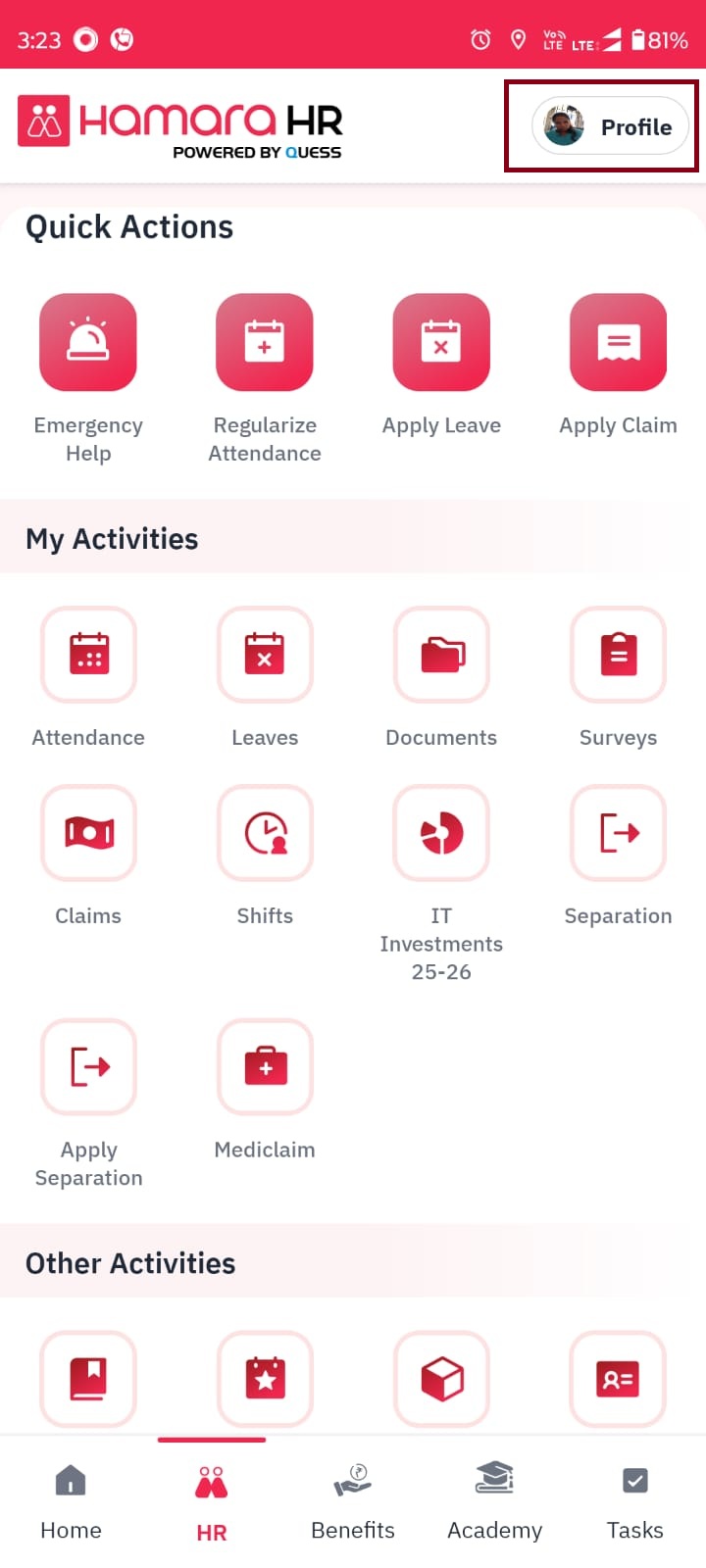
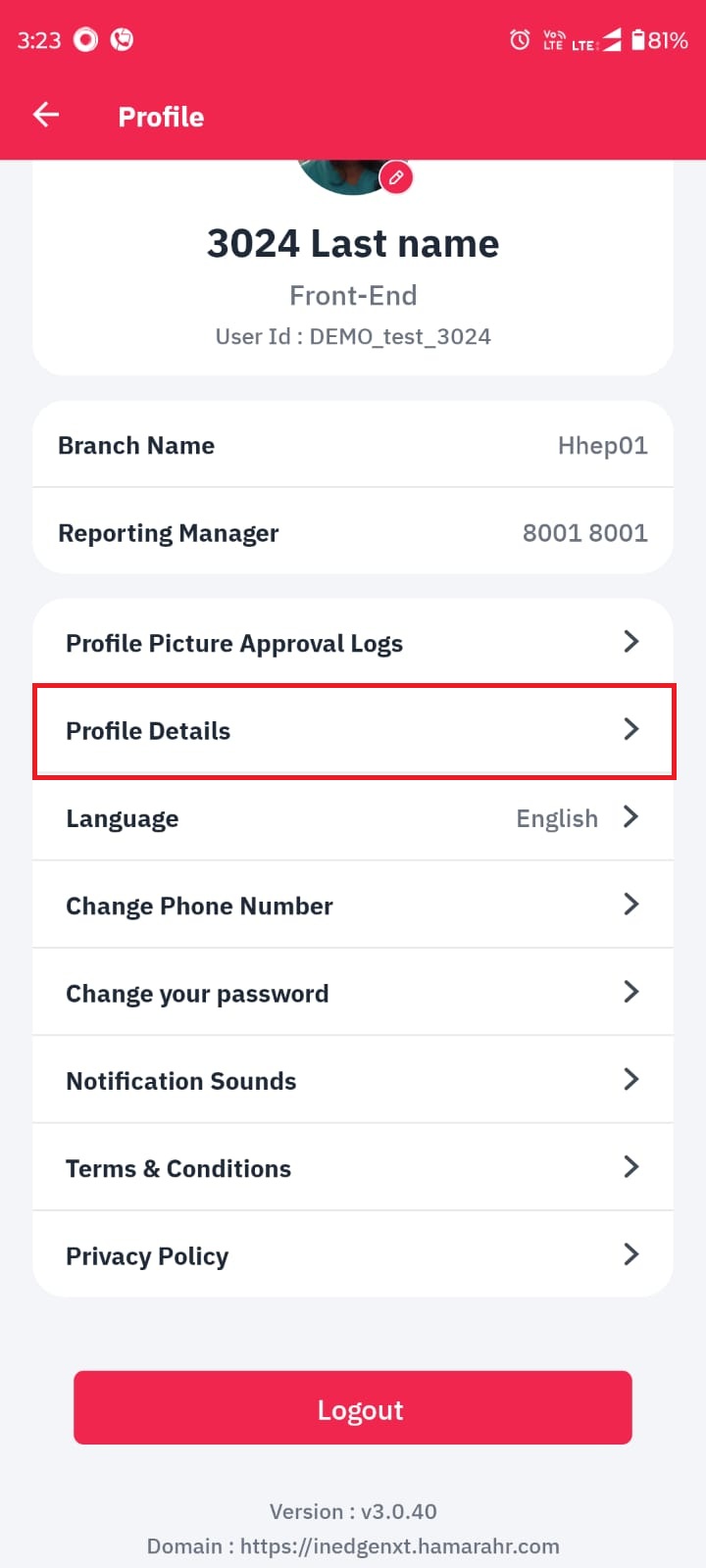
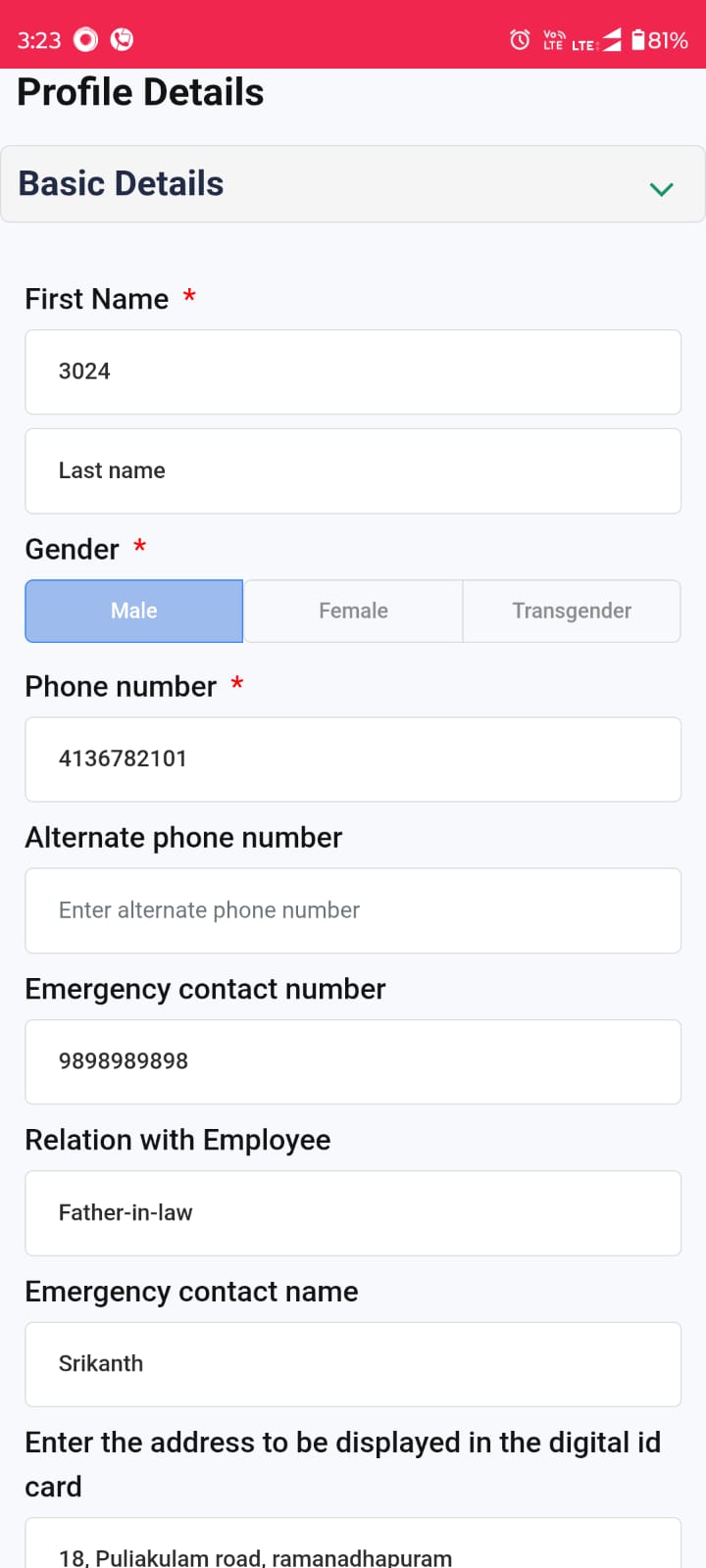
Mobile App → HR Page → Click on the top-right corner (Profile) → Profile Details
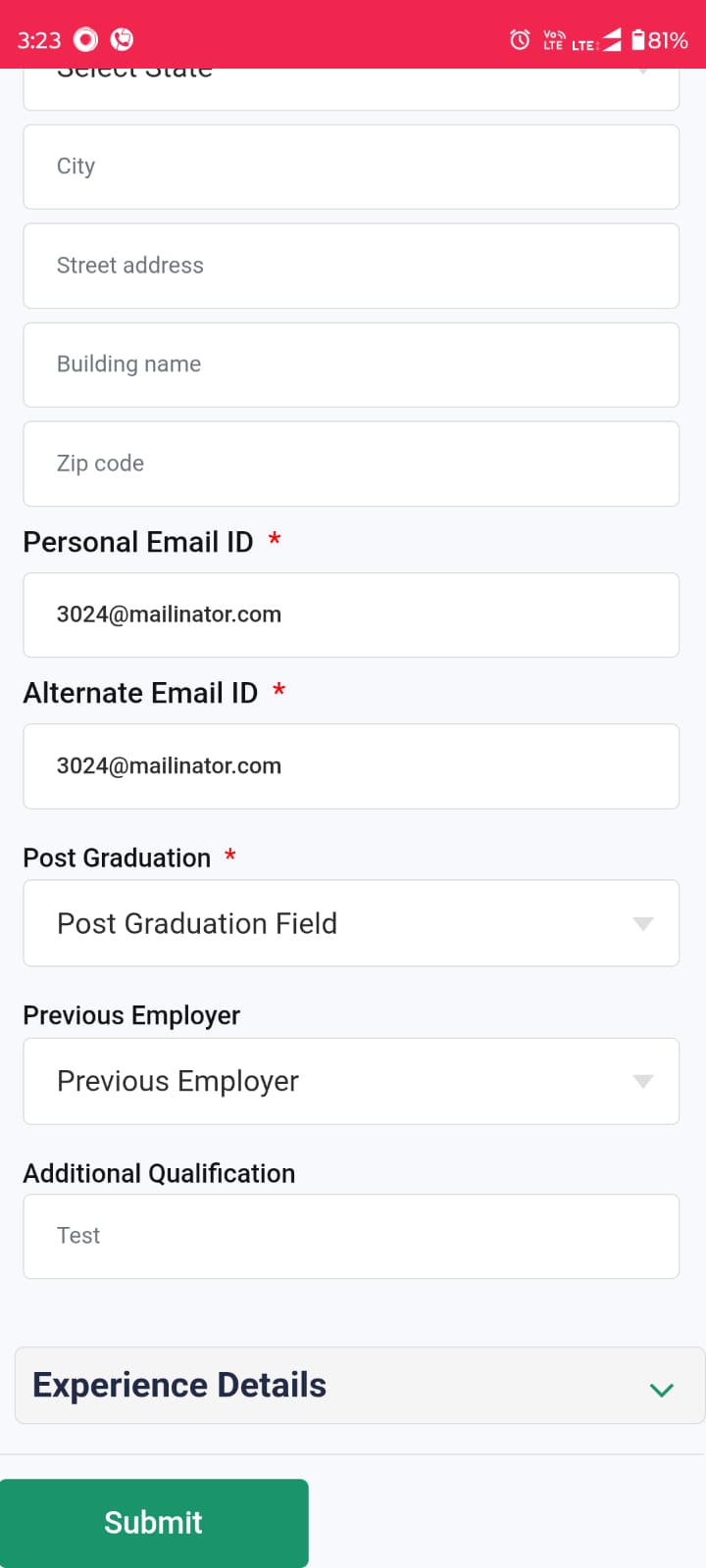
- Employees can edit and submit the flexi field details
- Once submitted, the request goes for manager approval
- The updated details will reflect only after manager's approval
Was this article helpful?
That’s Great!
Thank you for your feedback
Sorry! We couldn't be helpful
Thank you for your feedback
Feedback sent
We appreciate your effort and will try to fix the article