To Create Flexi Fields
Navigation Path:
Customer Admin → Setup → Organization Master → Flexi Fields → Employee → Add New Fields
Step 1: Create a Flexi Field
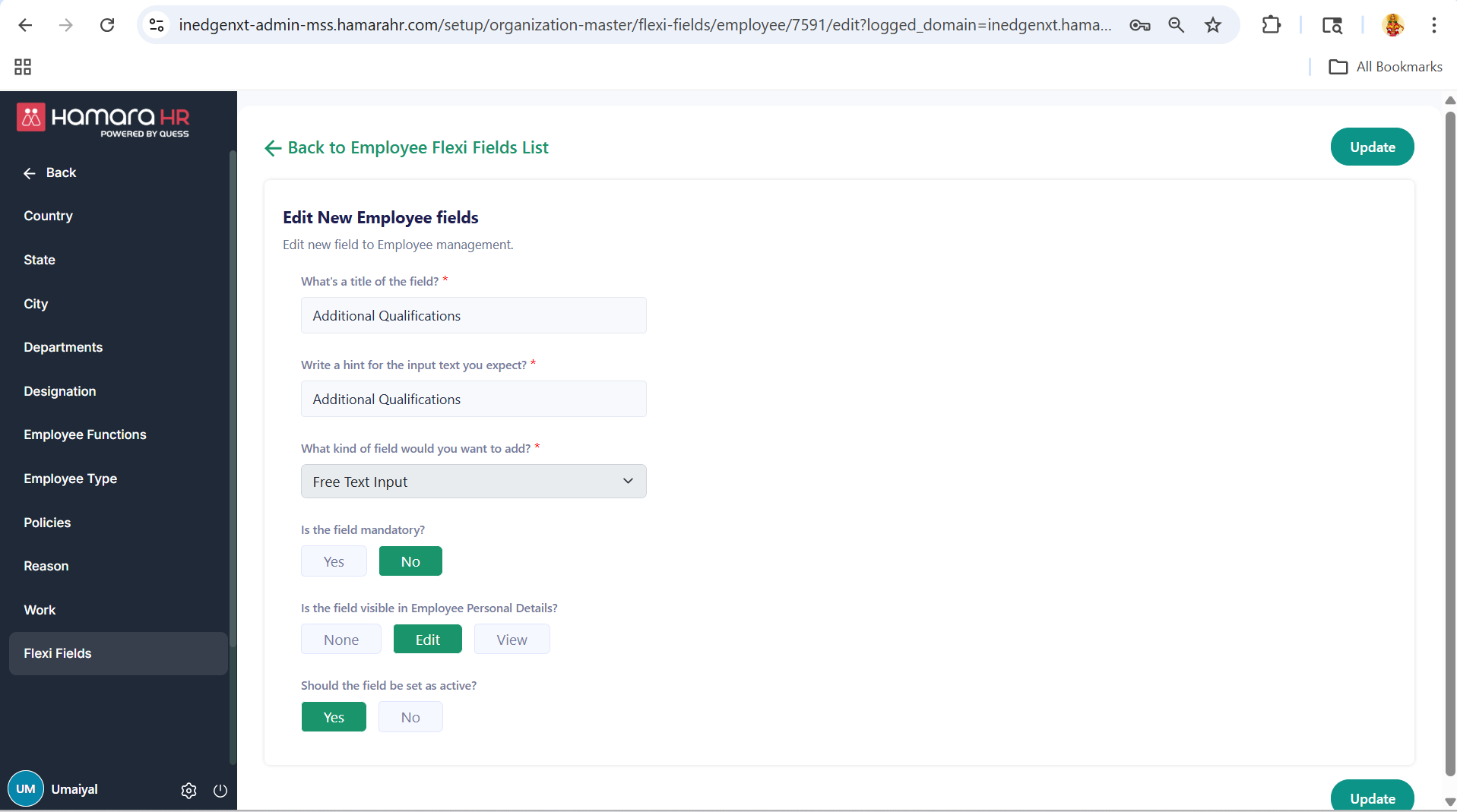
Enter the following details:
- Title of the Field
- Hint / Placeholder Text
(Guidance text to help users understand what to enter) - Field Type
(e.g., Free Text, Dropdown) - Is the Field Mandatory?
- Is the Field Visible in Employee Personal Details?
- None → Not visible
- View → Visible (read-only)
- Edit → Visible and editable
- Should the Field be Set as Active?
Step 2: Where will it reflect
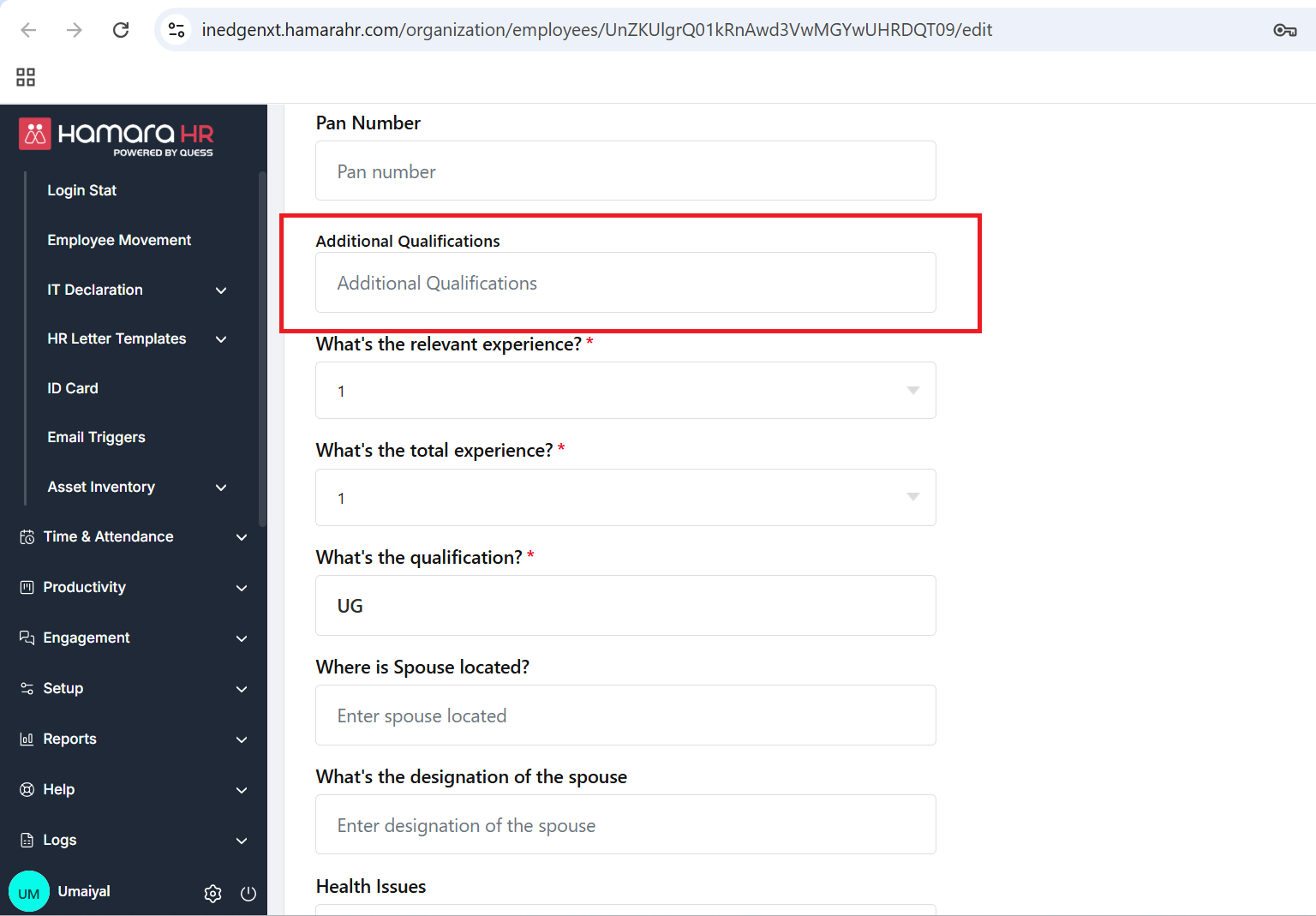
Once created, it will reflect in the Employee Edit page as well as in the Employee Dump.
Navigation:
Organization → Employees → Employee Edit Page / Download Dump
------------------------------------------------------------------------------------------------------------------------------------------
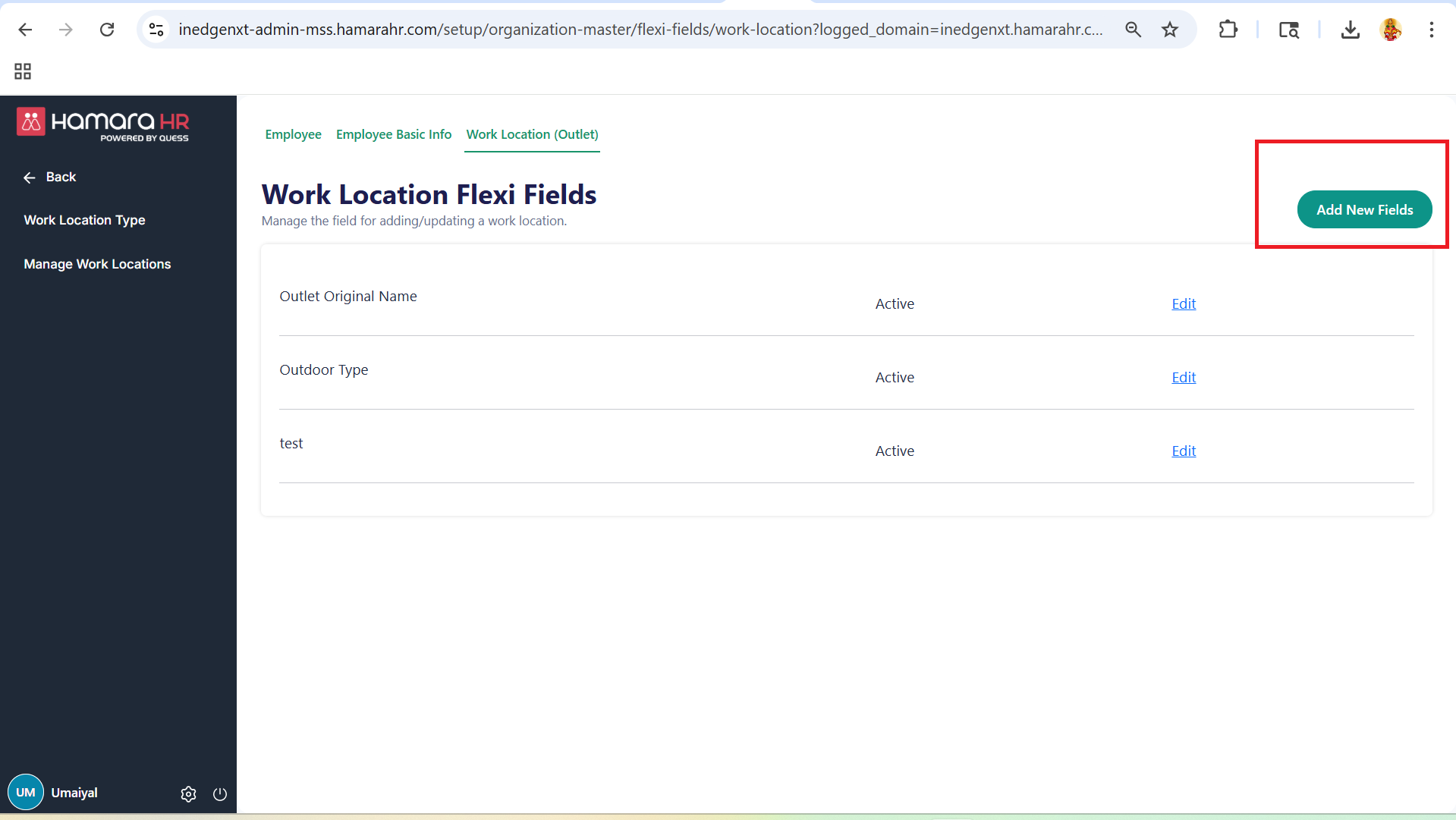
Step 1: Work Location Flexi Fields
Navigation path:
Setup → Organization Master → Flexi Fields → Work Location (Outlet) → Add New Fields
- Enter the same details as in Step 1
Step 2: Where will it reflect
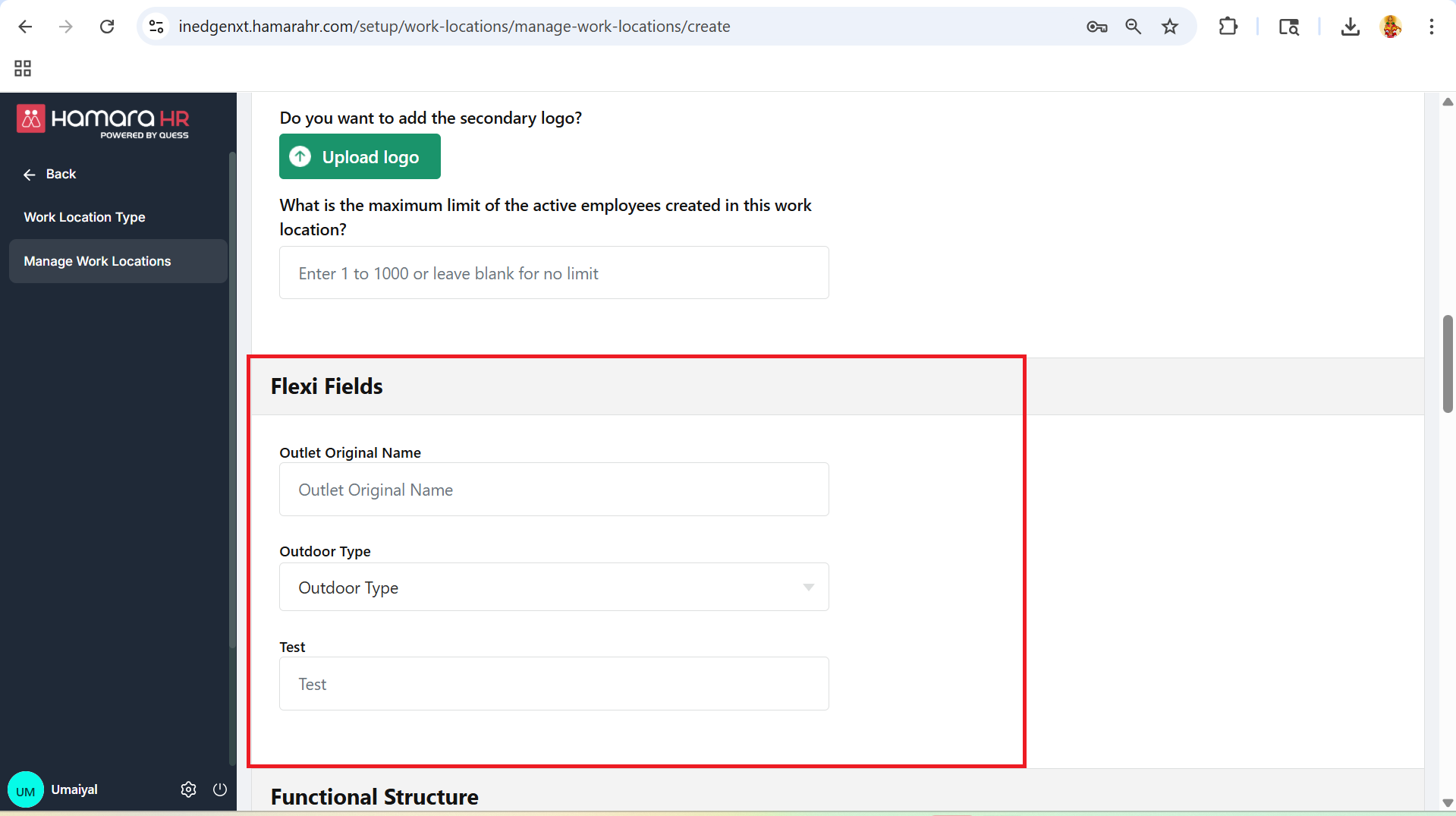
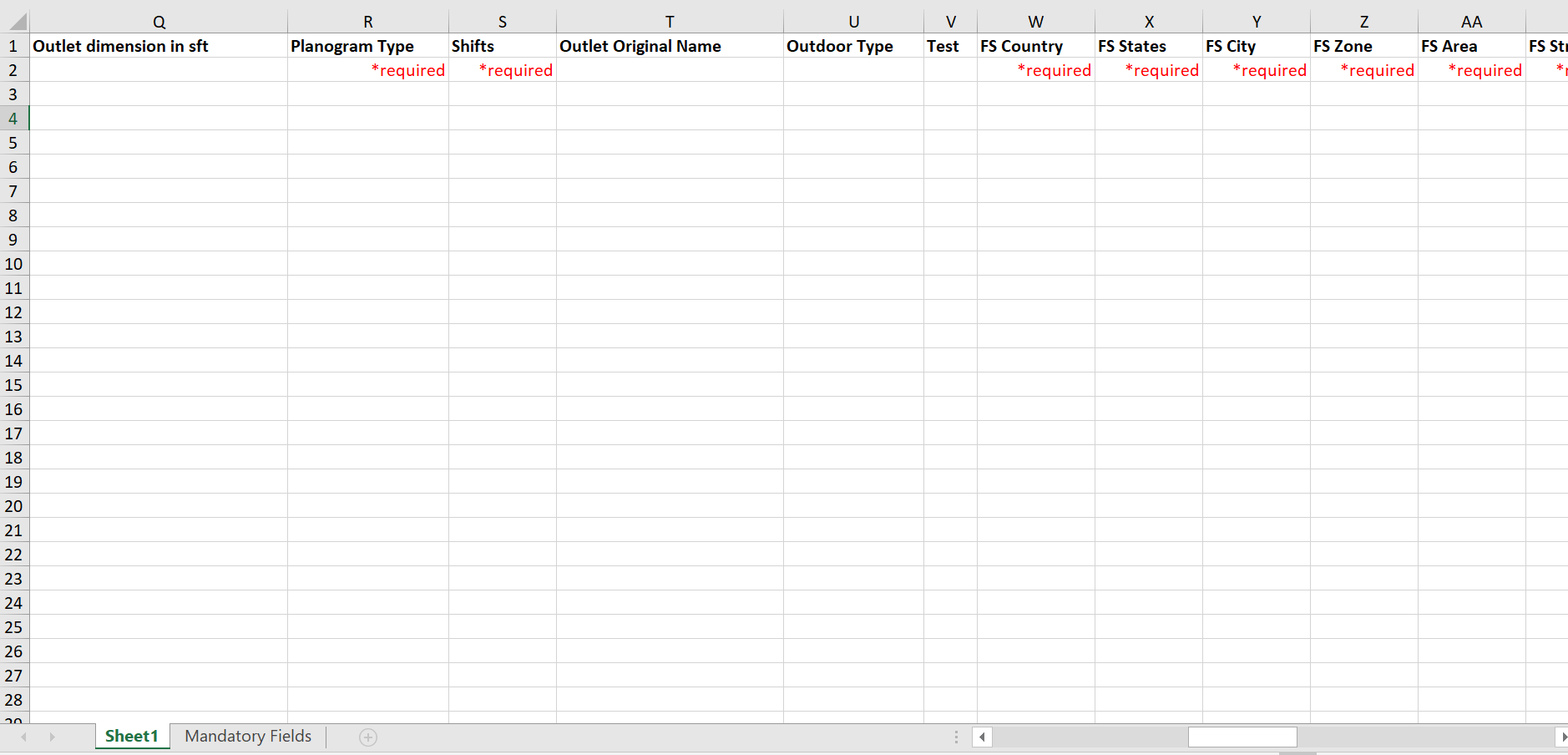
These fields will be reflected in the Work Location module.
Navigation Path:
Work Location Creation:
Setup → Work Location → Manage Work Location → Add Work Location
Bulk Upload:
Setup → Work Location → Manage Work Location → Bulk Upload → Upload Work Location
------------------------------------------------------------------------------------------------------------------------------------------
In future, access can be provided here to allow users to view or edit the field, if required.
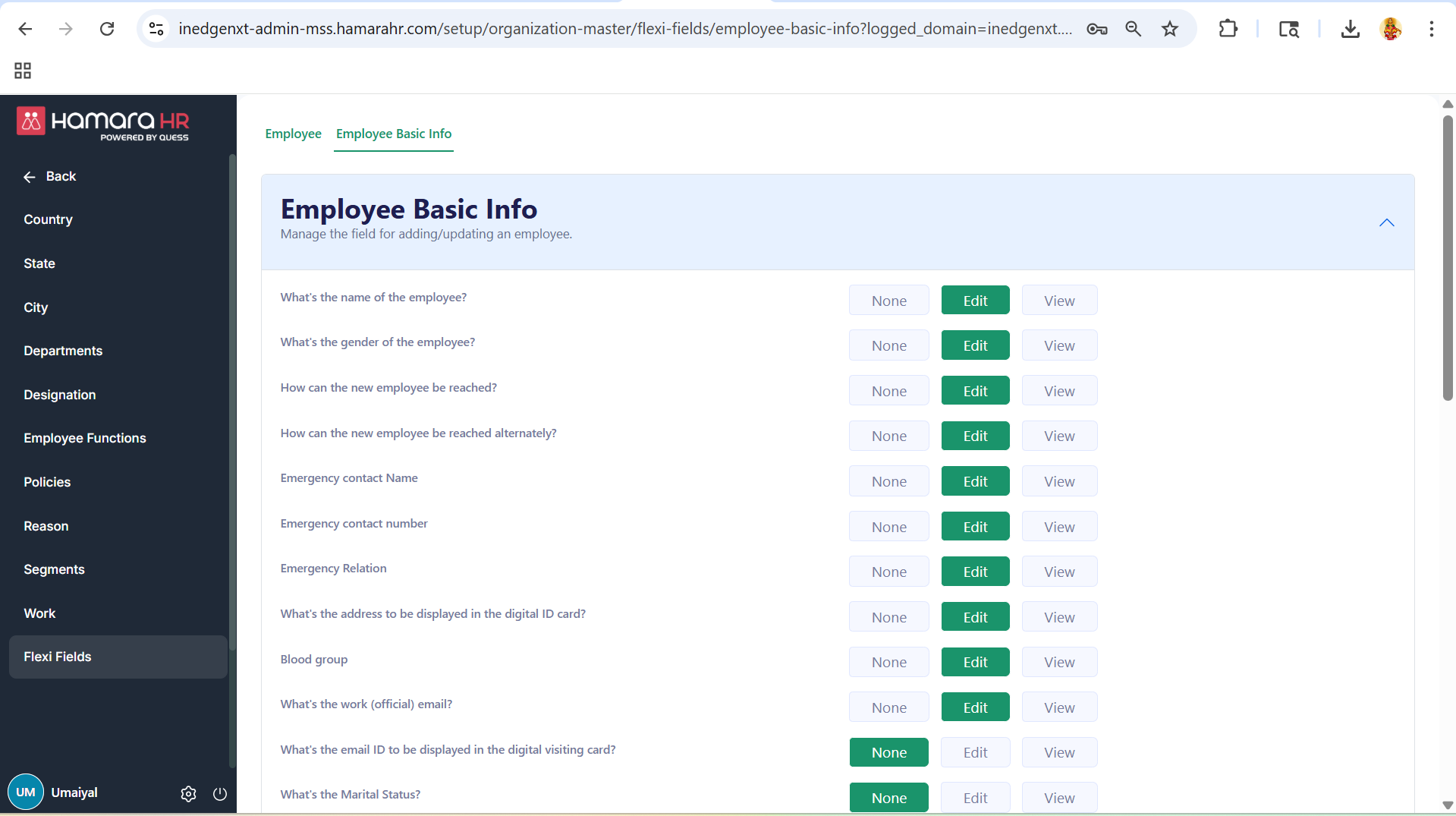
Step 1: Employee Basic Info Configuration
Navigation path:
Setup → Organization Master → Flexi Fields → Employee Basic Info
This setting controls whether employees can view or edit the field:
- None → Hidden
- View → Visible (read-only)
- Edit → Visible and editable
------------------------------------------------------------------------------------------------------------------------------------------
Was this article helpful?
That’s Great!
Thank you for your feedback
Sorry! We couldn't be helpful
Thank you for your feedback
Feedback sent
We appreciate your effort and will try to fix the article