Once the required fields are enabled and the configuration is completed in the Super Admin, the next step is to enable the fields in the Customer Admin (Role group)
Enable the Incident Module in the Role Group
Navigate to:
Customer Admin → Setup → Permissions → Role Groups
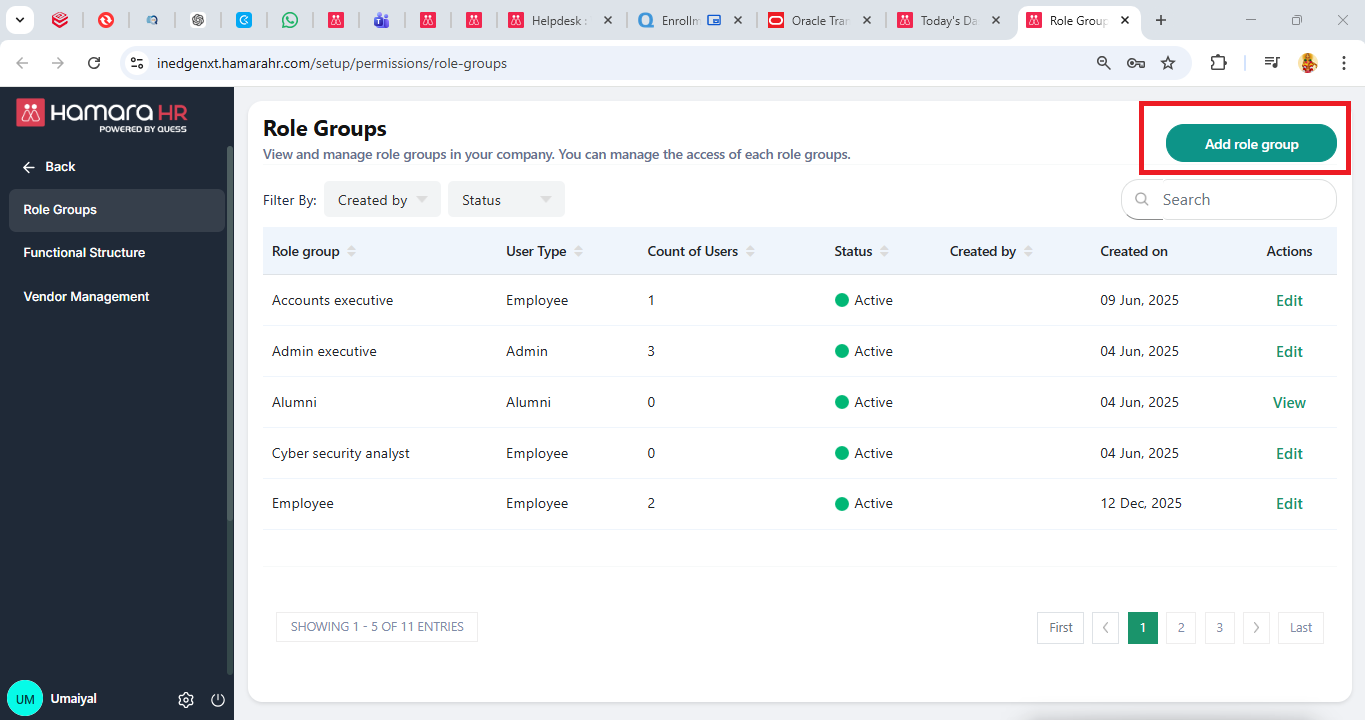
Enable the required flags based on the type of role group.
1) "Admin type" Role group under Incident management
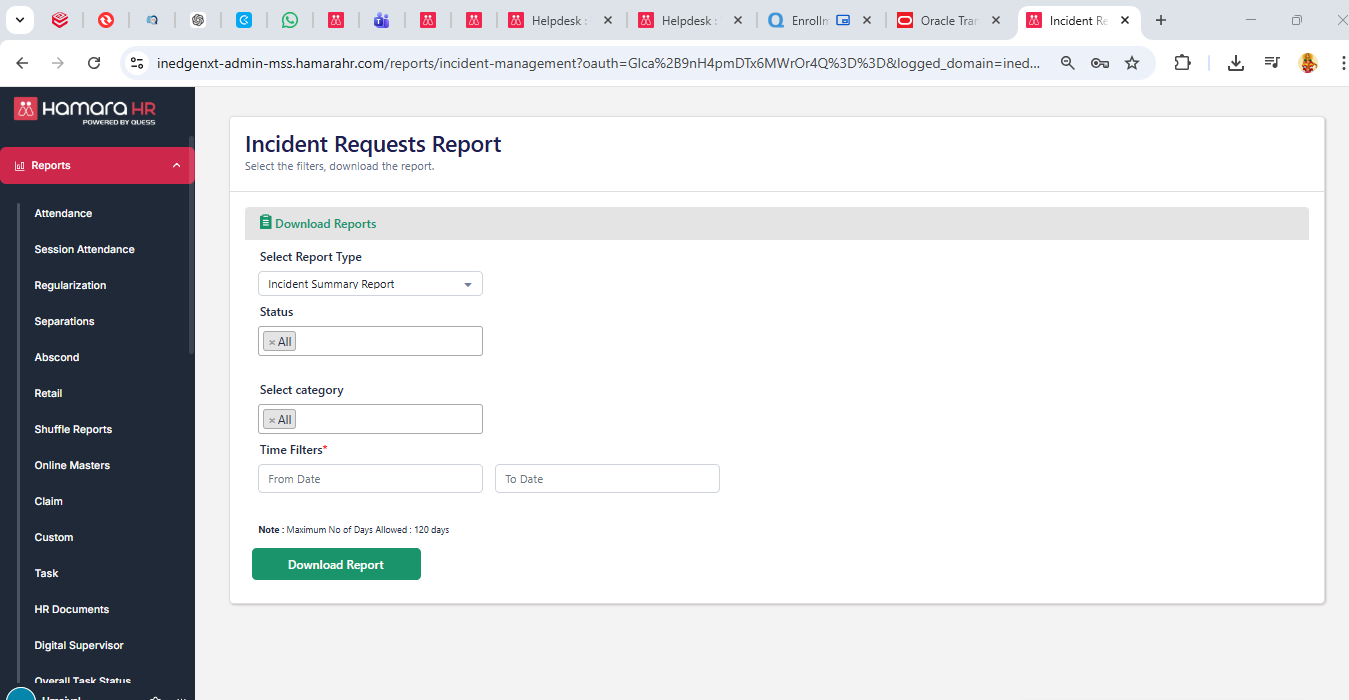
- Incident Request report
Functionality: Allows the admin to view and download reports of all incidents.
Navigation path: Reports → Incident Management Report
The report can be generated by applying the following filters: Status, Category, Time
- Incident Resolver
Functionality: Allows the Admin to handle and resolve incidents only if he/she is tagged as a resolver in the Super Admin configuration.
Navigation path: Customer Admin → Home Page → Incident Resolver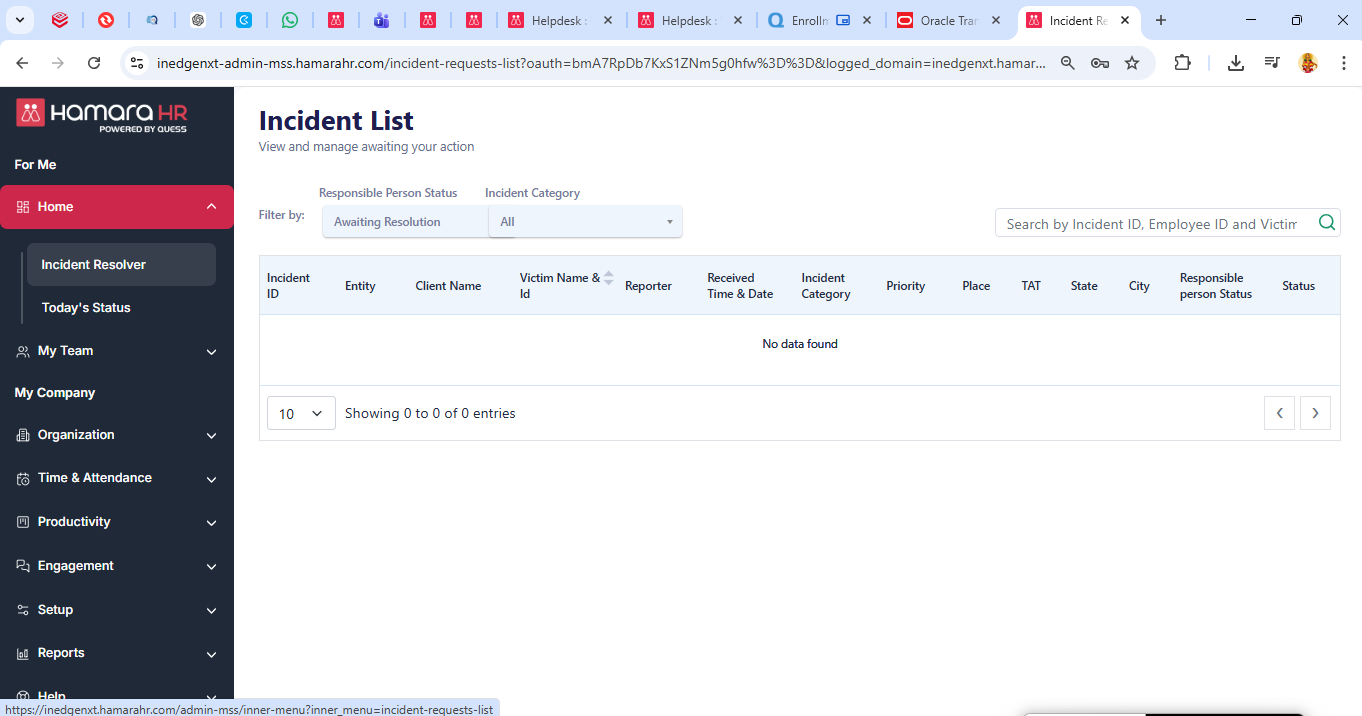
2) "Employee type" Role group under Incident management
- Incident Management
Functionality: Gives employees access to the Incident Management module.
- Report Incident
Functionality: Allows employees to raise a complaint or report an incident
- Incident Requests Report
Functionality: Allows employees to view the status of the incidents they have raised
3) "Non confirmed employee type" Role group under Incident management
- Report Incident
Functionality: Allows non-confirmed employees to raise incidents or complaints in the system
The detailed working of these flags for the end user will be explained in the next article.
Was this article helpful?
That’s Great!
Thank you for your feedback
Sorry! We couldn't be helpful
Thank you for your feedback
Feedback sent
We appreciate your effort and will try to fix the article