A holiday refers to a non-working day assigned to employees based on their state, city, site, role group, or holiday calendar.
Step 1: Create a Holiday (Single Upload)
Navigation Path
To create a single holiday, navigate to:
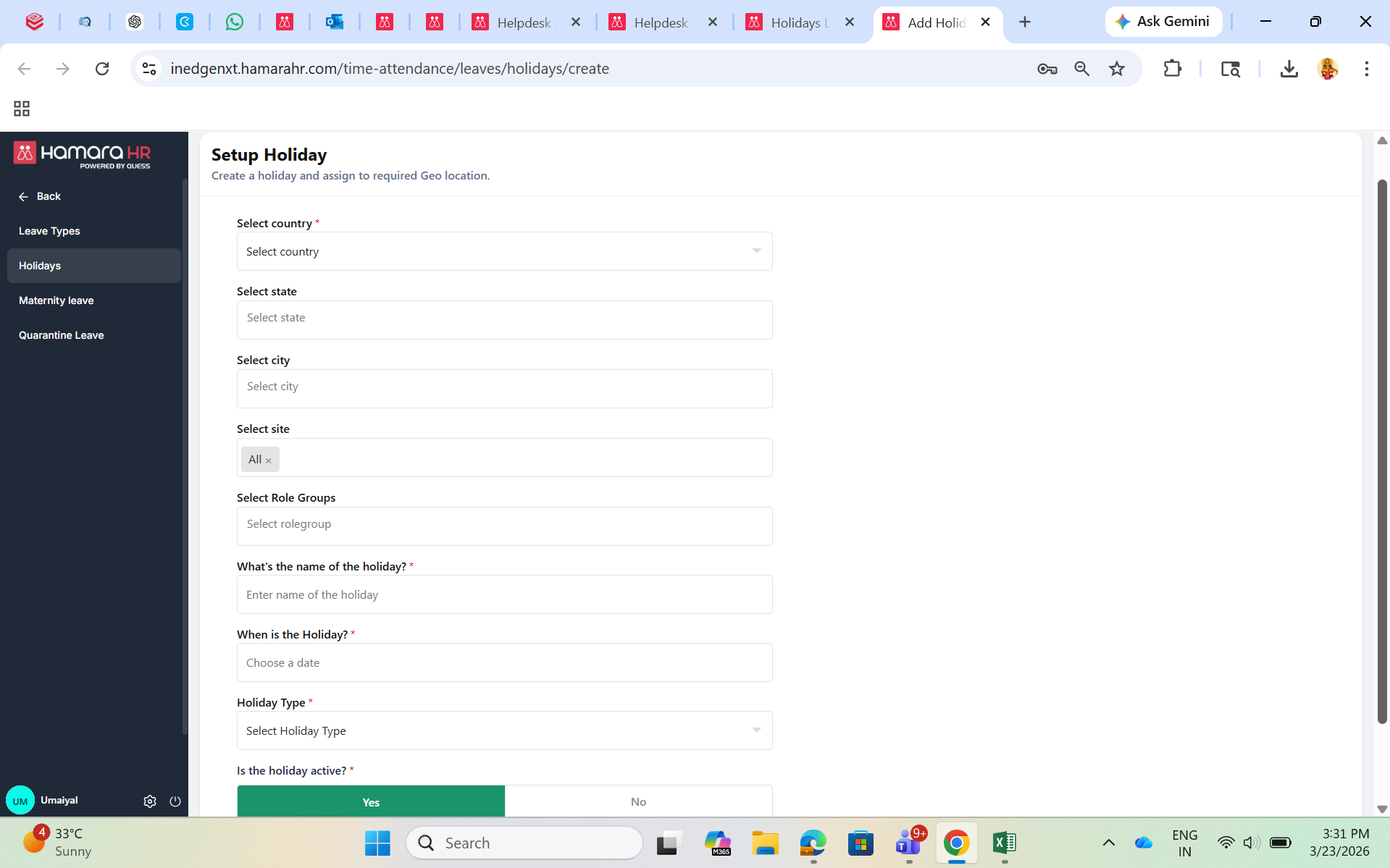
Customer Admin → Time & Attendance → Leaves → Holidays → Add Holiday
Enter the required details:
- Country(Mandatory)
- State / City / Site(as applicable)
- Role Group(if required)
- Holiday Name(e.g., Pongal)
- Holiday Date(e.g., 14th Jan)
- Holiday Type(e.g., Mandatory, Optional, National)
- Holiday Active Flag(Enable to make the holiday active and visible to employees)
Click Save to create the holiday.
Step 2: Create Multiple Holidays Using Bulk Upload
Navigation Path
To create multiple holidays, navigate to:
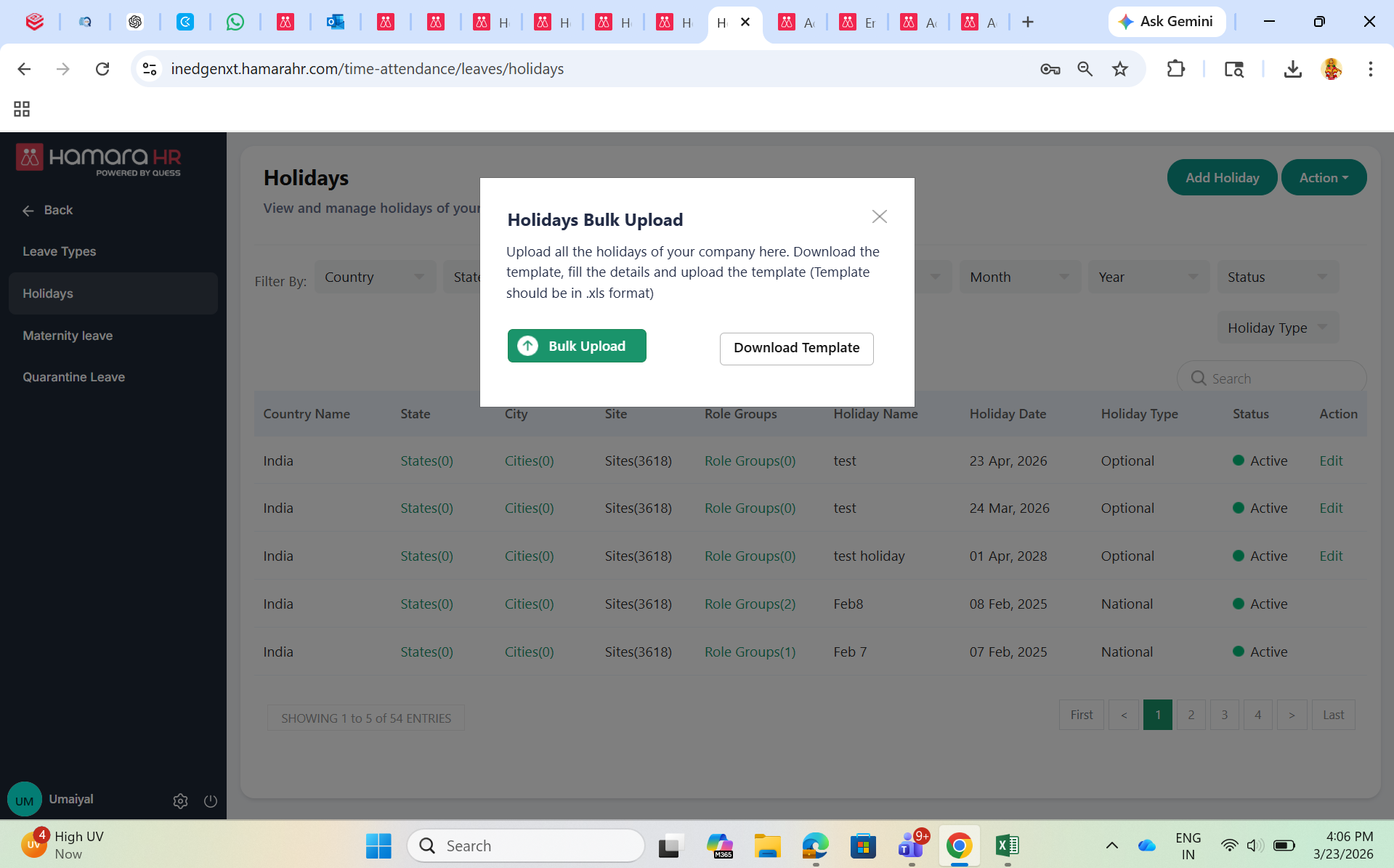
Customer Admin → Time & Attendance → Leaves → Holidays → Action → Bulk Upload → Download Template
Follow the below steps:
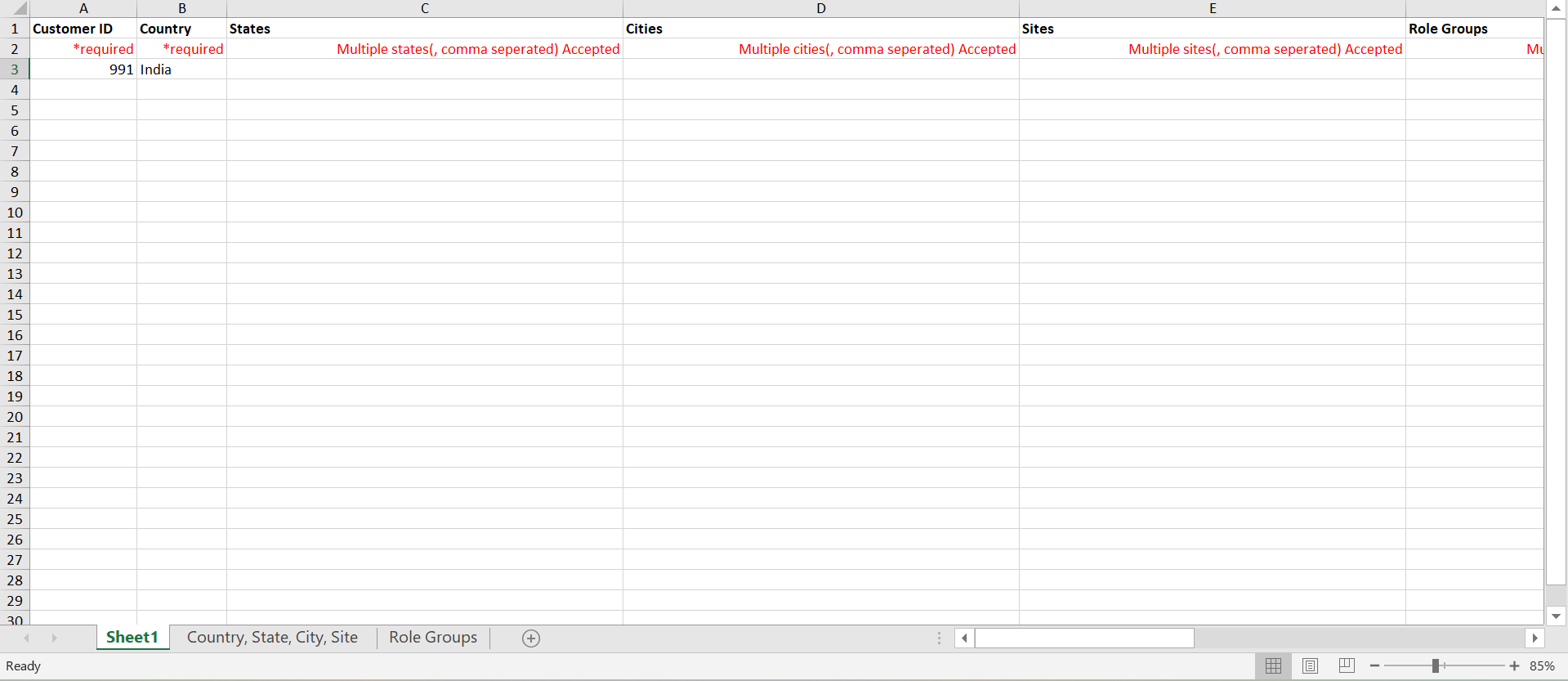
- Download the template
Refer to the reference sheets provided in the template (Sheet 2 and Sheet 3)
Fill in the required details:
- Customer ID
- Country(Mandatory)
- State / City / Site(as applicable)
Multiple values can be added using commas
Note: Do not leave spaces after commas
(Example: Madurai,Coimbatore,Trichy,Chennai)
- Role Group(if required)
- Holiday Active Flag(Enable to make the holiday active and visible to employees)
- Holiday Name(e.g., Pongal)
- Holiday Date(e.g., 14th Jan)
- Holiday Type(e.g., Mandatory, Optional, National)
Ensure the data is entered in the correct format
- Remove all reference sheets (keep only Sheet 1) before uploading
- Upload the file using the below path:
Customer Admin → Time & Attendance → Leaves → Holidays → Action → Bulk Upload
Notes
- Ensure that only Sheet 1 is present while uploading the file
- Holidays can be created only for future dates from the Admin panel
- Holidays will be applicable only if the employee’s location or role group is mapped correctly
Was this article helpful?
That’s Great!
Thank you for your feedback
Sorry! We couldn't be helpful
Thank you for your feedback
Feedback sent
We appreciate your effort and will try to fix the article